How I Learn Languages, Part 3: Reading and Anki
This is the core of the method: the first two stages of my daily pipeline, discover and drill.
LingQ reading
This is the first stage of my daily pipeline: discover.
I start with LingQ’s Mini Stories, which are an absolute goldmine. They’re short stories covering everyday scenarios, and each one is retold from several perspectives. That retelling is what makes them so good. The same story comes back in a different person or tense (“he went” becomes “I went”), so I see the same words in different forms, side by side, in a story I already understand.
Before reading your first lesson, turn off “Paging moves to known.” It’s ridiculous that LingQ turns this on by default. Every time you turn the page, it marks every word you didn’t click as known, which totally blows up the pipeline. Moving a word to known should always be a deliberate choice.
On the first lesson I know zero words, so I click every word to see what it means and keep reading the text in the target language. That’s the whole job: expose myself to new words.
I don’t repeat individual lessons
Even if I only understood three words of a story, I keep going to the next one. LingQ is all about steady exposure. It’s rough at the start because you understand almost nothing, but remembering is Anki’s job, not LingQ’s. Every word I saved from that story is already on its way into my flashcards, so re-reading it would just be time not spent on new words.
But I do repeat courses
Whole courses are worth repeating, especially after you’ve finished a set of different courses. It’s useful to go back to the Mini Stories, and in my experience, by your 3rd or 4th repetition you’ll fly through them. It’s also how I keep LingQ and Anki in balance when I get far ahead in LingQ.
The one habit that keeps Anki manageable
LingQ rates every word you’ve saved from 1 (new) up to 5 (known). Every time I start a new lesson, I open the sidebar and move every LingQ’d word up one level, whether or not I feel I’ve actually learned it. (I’m bad at judging that anyway, and I suspect most people are.)
- I keep bumping each word until it reaches level 3, then leave it alone.
- Why not level 4? If you keep going until level 4, your “known words” count will be inflated.
- Once I can read the word in a later lesson without clicking it, I mark it known.
- If a word gets stuck between level 3 and known, that’s my cue to come up with a mnemonic for it.
I do it this way because deciding “how well do I know this word?” for every single word is exhausting and doesn’t matter. The only thing that matters is whether I know the word or not, and that’s always obvious.
Mnemonics for stuck words
Most words stick on their own with enough reading and Anki reviews. For the ones that don’t, I make a mnemonic association: I connect the word’s sound to a vivid, ridiculous mental image of its meaning. For example, Russian стол (stol) means “table,” so I could picture a burglar who stole a table. The weirder the image, the better it sticks.
For a deep dive into how to build these well, I recommend Fluent Forever by Gabriel Wyner. If you’d rather not read a whole book, this video is a pretty good introduction.
Sending words to Anki
After each lesson, I send the new words to Anki. LingQ has a built-in export, but I’ve found it lackluster, so I built a free Chrome extension to fill the gap: Aminte. It grabs every LingQ at the levels you pick and imports them into Anki automatically.
Aminte runs on a computer. It needs Anki’s desktop app running with the free AnkiConnect add-on, plus LingQ logged in in the same Chrome browser. After sending cards, I sync Anki to get them onto my phone. The FAQ walks through most snags, and my LingQ forum post explains more about what it is and how it works, including a demo video.
As a beginner, these are the settings I’d use:
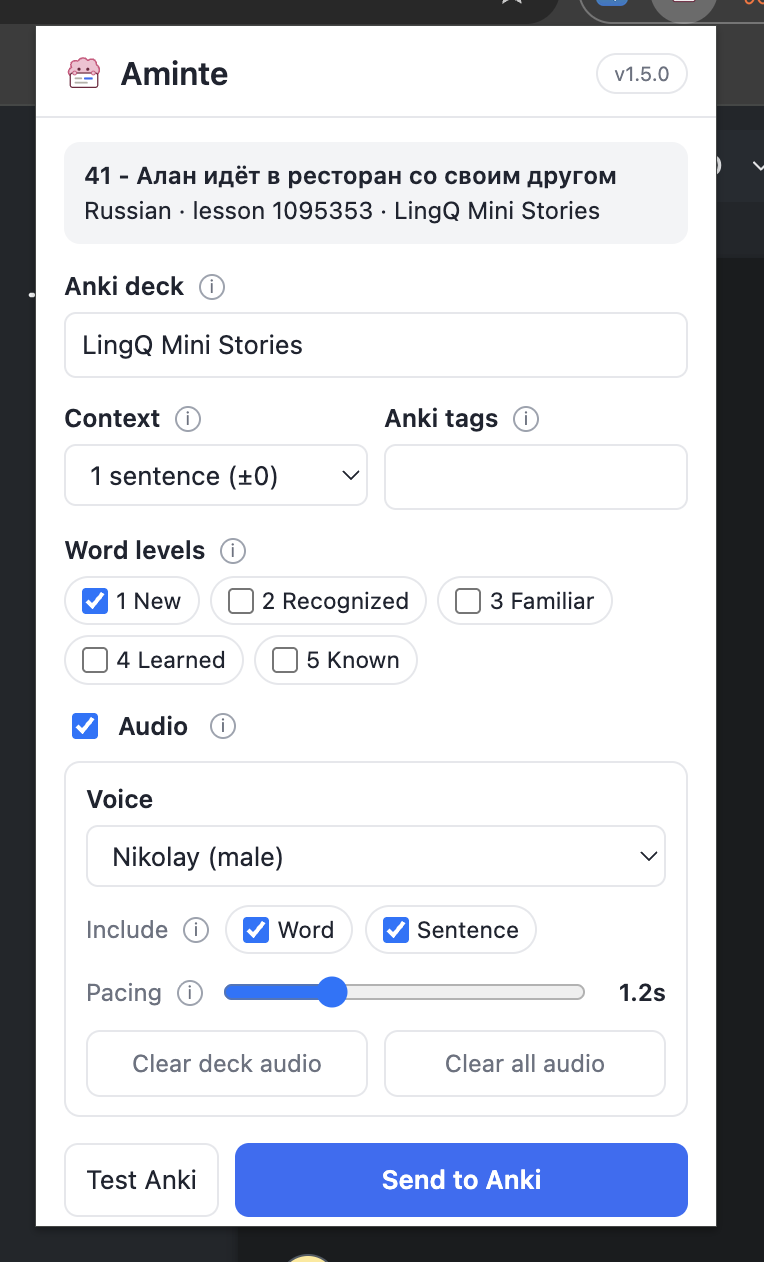
I only import level 1 words, which means each word gets imported once, the day I first save it. That’s because of the 80/20 rule: in most languages, the roughly 2,000 most common words make up about 80% of everyday text. Those common words show up in nearly every lesson, so if I imported them at every level, I’d end up with far more cards than I could ever review. Only at an intermediate level do I start including higher levels so I can see niche words in more contexts.
That only works if I do things in the right order for each lesson:
- Open the lesson and bump every existing LingQ up one level. Now the only level 1 words left are ones I haven’t saved before.
- Read the lesson, saving new words as I go.
- Run Aminte right after I finish, so it only picks up the words I just saved.
Within a single lesson, Aminte makes only one card per word, but it can’t tell that a word from an earlier lesson already has a card. So if you run Aminte before bumping the levels, words saved in earlier lessons would still be at level 1, and you’d end up with two cards for the same word.
Anki
This is the second stage of the pipeline: drill. LingQ gives me the variety, and this is where I lock in retention.
Aminte makes cloze cards: each card shows a full sentence from a LingQ lesson with the new word blanked out, and I fill in the blank. Anki’s spaced repetition then schedules each card to come back right before I’d forget it. This is where I make the jump from translating everything in my head to understanding the language directly. As I keep up with the daily reviews, the reading in LingQ gets noticeably easier.
Aminte also has an optional text-to-speech add-on ($10, one time) that reads the sentences aloud. It reinforces how the language sounds, and helps with pronunciation too, if you care about that like I do.
Working on pronunciation
If you don’t want an accent, keep audio on while reviewing. After filling in the word, say the whole sentence out loud and repeat it until you nail the pronunciation. It makes reviews slower, which is the tradeoff I describe in Part 1.
My Anki settings
These are the deck settings I use with Aminte:
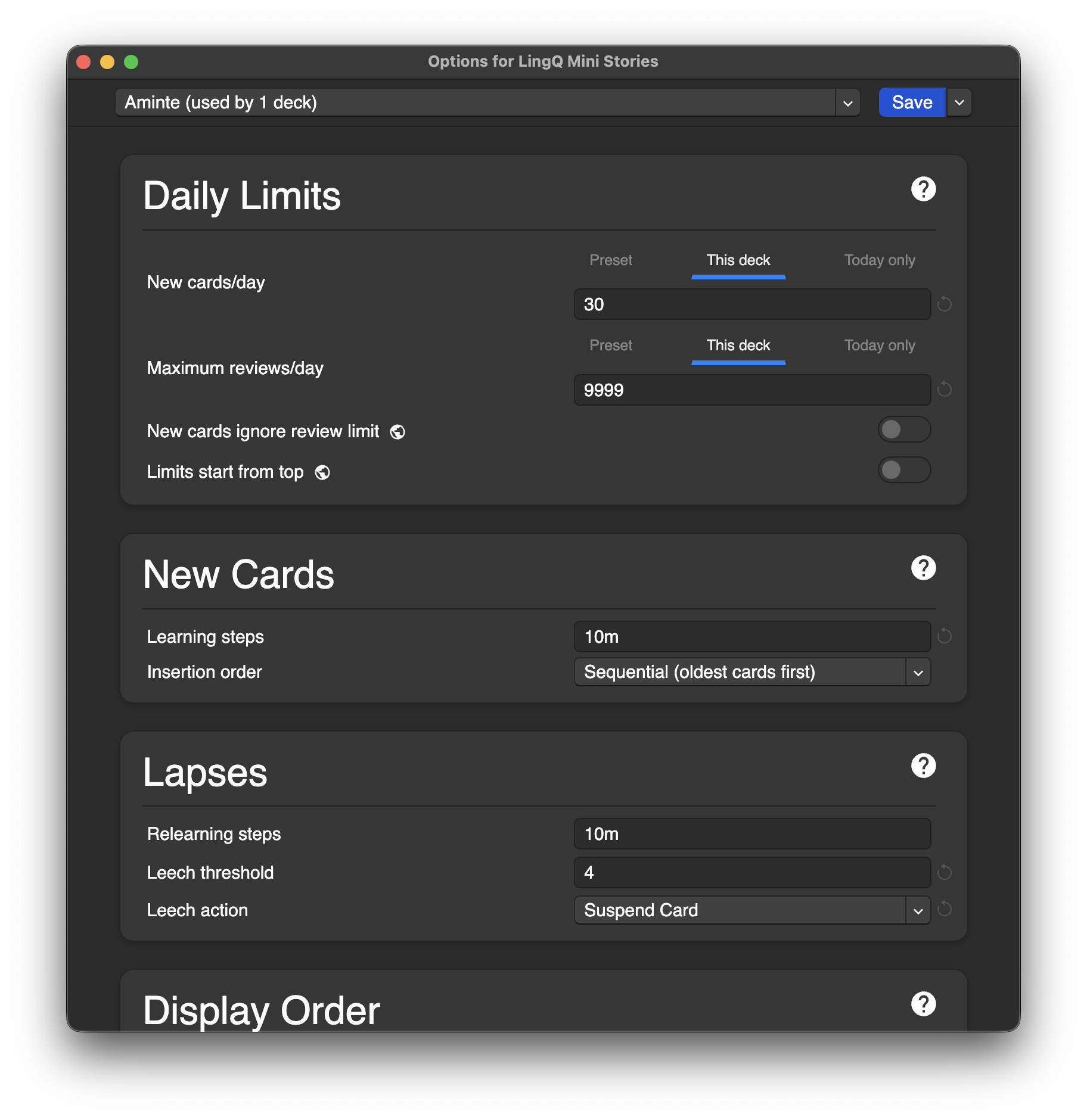
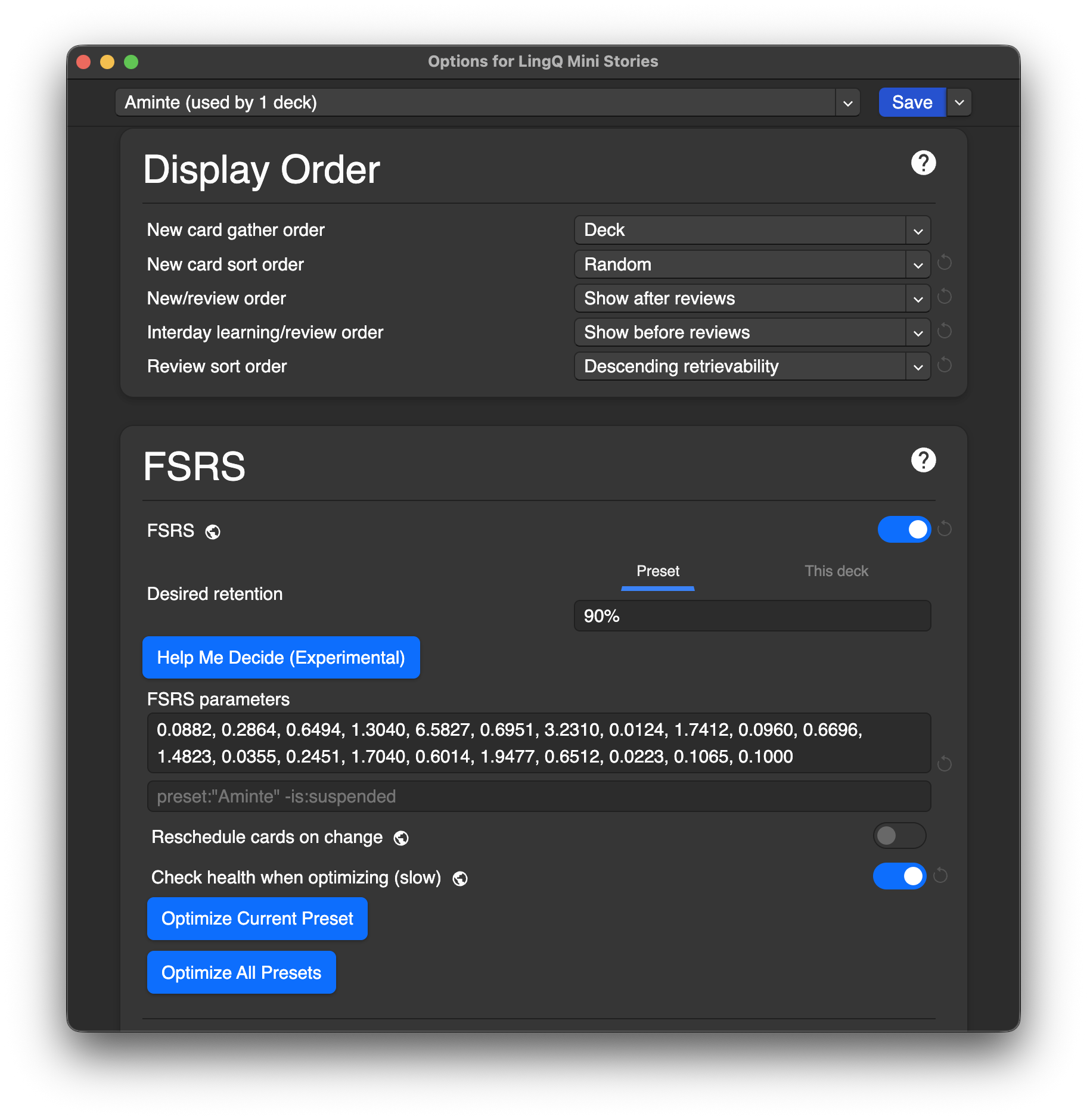
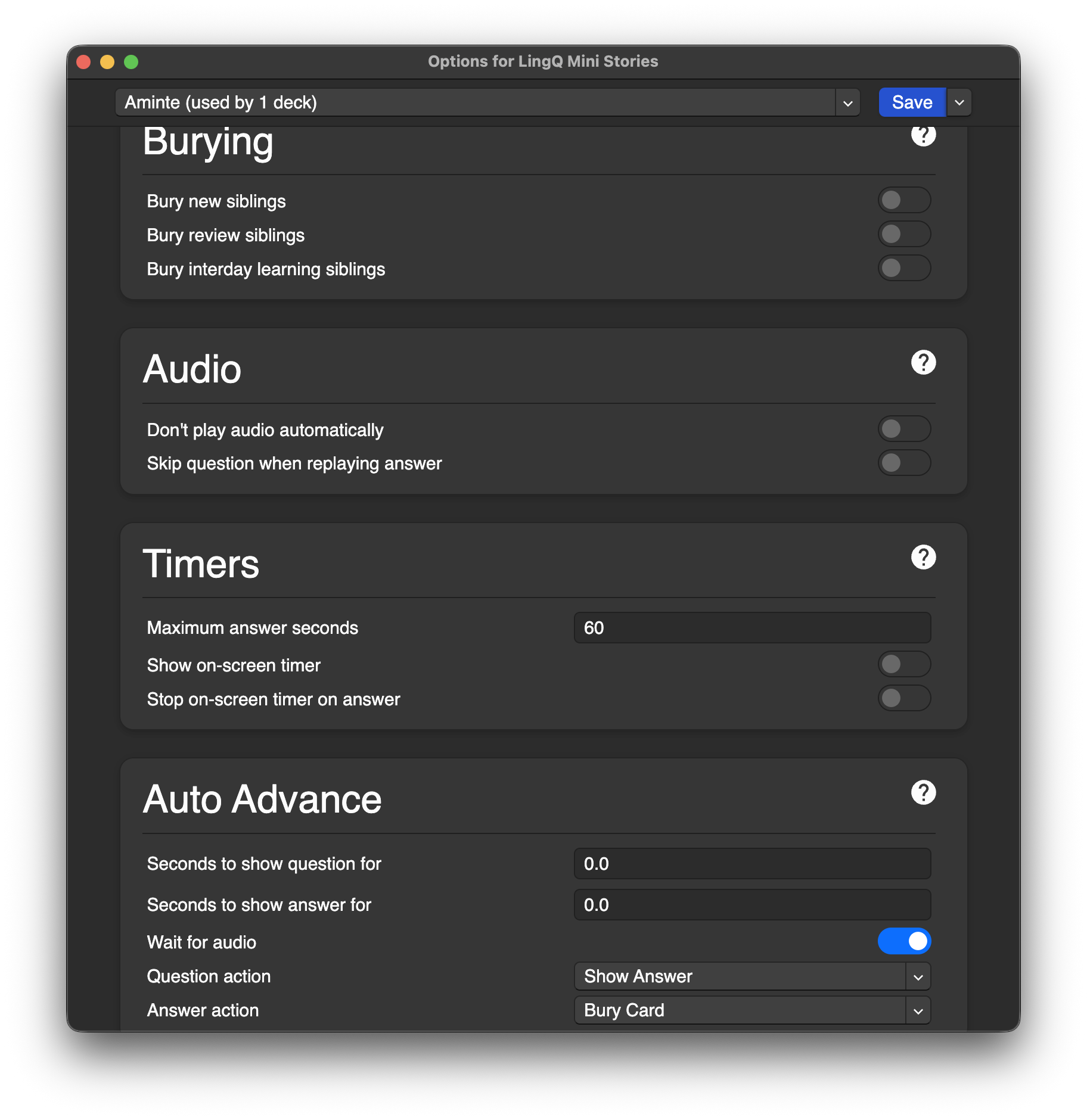
The ones that matter most:
- 30 new cards a day, with no cap on reviews. I’d rather clear every review due that day than let them pile up.
- FSRS on, at 90% retention. FSRS is Anki’s newer scheduling algorithm. It adapts to how you actually remember cards.
- Leech threshold of 4, set to suspend. More on this below.
- The display order settings. These control what order cards show up in, and I set them on purpose (see below).
Why my display order settings matter
The second screenshot above shows the display order section. Here’s what I chose and why:
- New cards: Show after reviews. I always clear what’s due before touching anything new. If I run out of time, the cards that get skipped are new ones, which can wait, not old ones I’m about to forget.
- New card sort order: Random. Cards from the same lesson would otherwise show up back to back, and the sentences from one story give each other away. Shuffling them makes me recall each word on its own.
- Interday learning cards: Show before reviews. Cards I failed recently are still fresh, so I go through them first, while there’s the best chance they’ll stick.
- Review sort order: Descending retrievability. I start with the cards I’m most likely to remember, which gets me warmed up and into a rhythm before the harder ones.
Falling behind
It happens to all of us! When I was moving, I fell way behind and ended up with a huge backlog of reviews. I set new cards per day to 0 and chipped away at the backlog by reviewing about 100 cards a day until it was gone.
Leeches
Some cards just won’t stick without an extra nudge. This gets more common as I progress, because I start noticing that a second word would fit the sentence just as well as the “correct” one, and I keep mixing them up. Anki calls a card I keep failing a leech. Once a card hits the leech threshold, Anki suspends it, meaning it stops showing up in reviews until I fix it. I set the threshold to 4 instead of the default 8, so I don’t have to fail a card eight times before I get to the fix.
The fix: when a card is marked as a leech, I click Edit on it and fill in the Cue field, which then shows up under the sentence. The trick is to give myself the smallest hint that works. Writing the English translation would make the card too easy, so I try to find the minimum information I need to get it right next time. A few examples:
A mnemonic cue
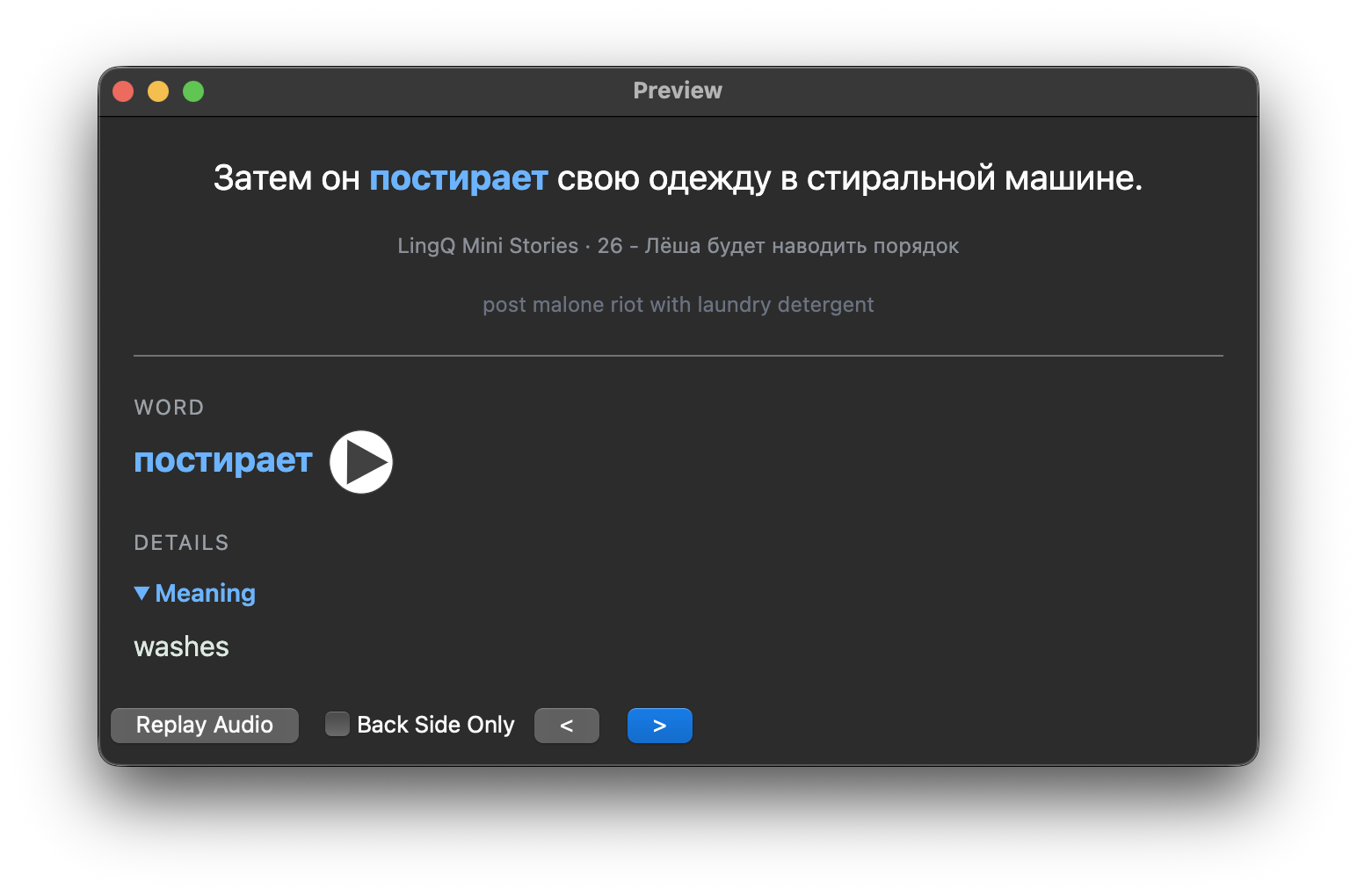
I couldn’t fill in постирает (washes) after multiple attempts, so I made up a silly mnemonic: the word sounds vaguely like “posty-riot,” so I picture Post Malone rioting with laundry detergent.
A tense and infinitive cue
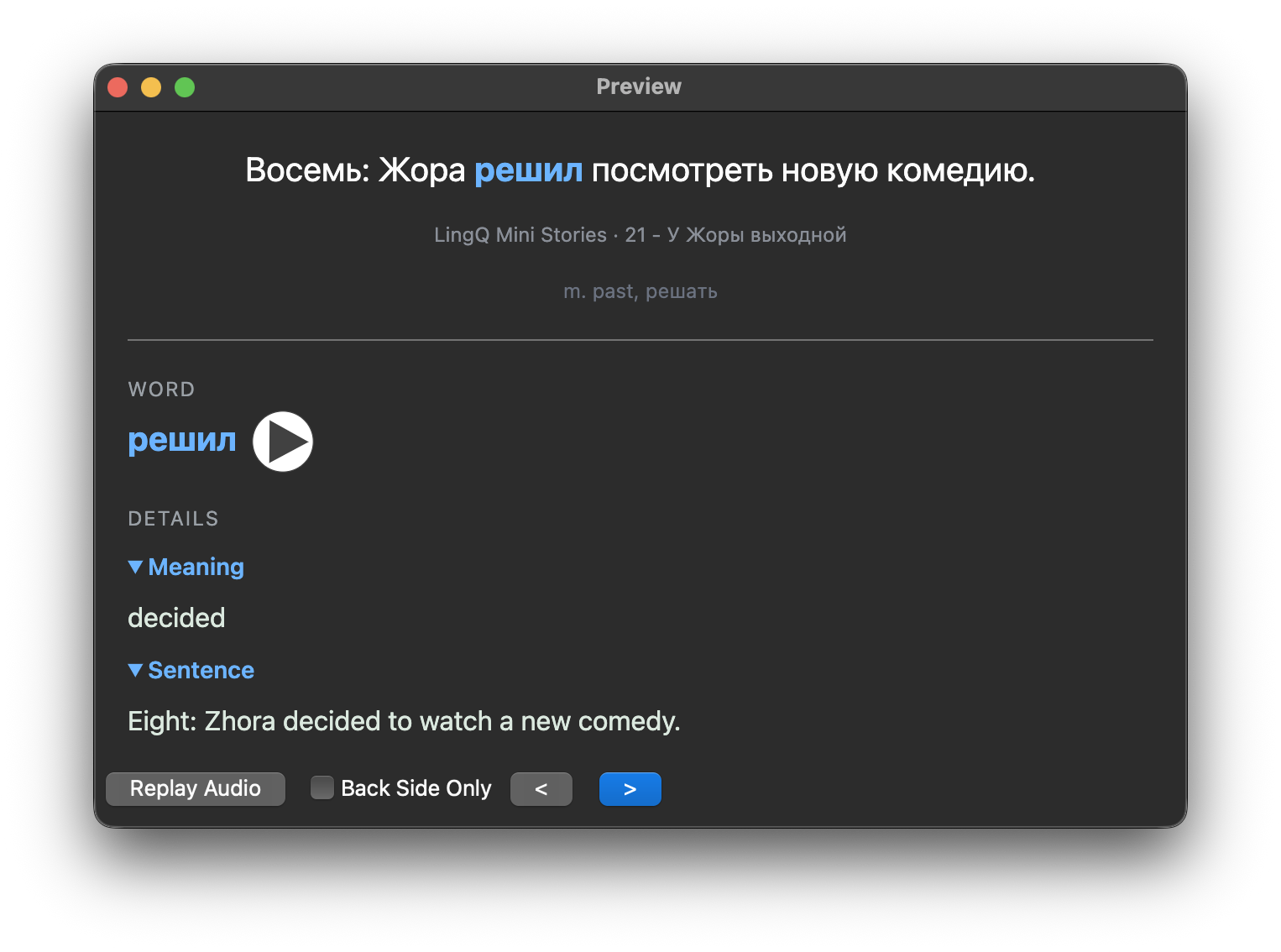
This card was genuinely ambiguous, for two reasons:
- The blank could just as easily have been the present tense of решил (decided), so the cue says it’s masculine past tense.
- “Decided” isn’t the only verb that fits. “Wanted” works in this sentence just as well. So the cue also gives the infinitive, решать (to decide), and I write it in Russian, not English, so the card still makes me recall the word.
An emoji cue
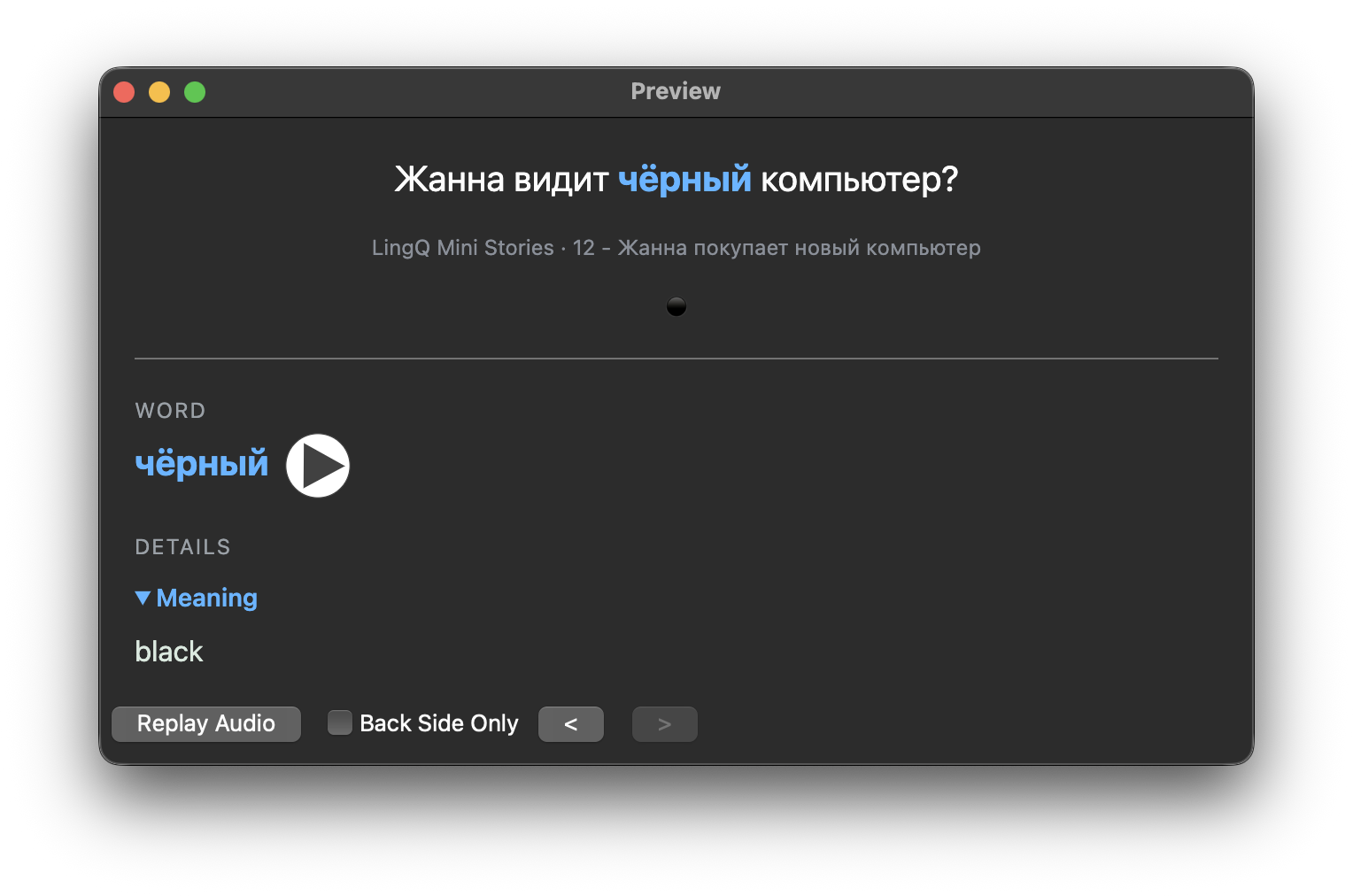
This one is ambiguous because almost any adjective fits the blank. Zhanna could see a new computer, a big one, or a white one, and nothing in the sentence says it’s black. So the cue is just a ⚫ emoji. It points at the meaning without handing me an English word to translate from.
I recommend emojis for simple things like colors and common nouns (🍎, 🐕, 🏠). They’re the smallest possible hint, and they keep the card entirely in the target language.
Is it worth fixing leeches?
I think so. A leech I let stay suspended never gets as firmly set in my mind as the words I actually review. That said, if you’re short on time, letting leeches stay suspended is fine. And if a card turned into a leech because two words fit equally well, that’s a good sign: it means you’re starting to notice nuance.
Why not just read more in LingQ?
Anki pays off most once I start speaking. When I blank on a word mid-sentence, I can usually remember a card it appeared on and replay that whole sentence in my head until the word comes back. The “just read a ton” approach that LingQ pushes can’t give me that.
Anki also pushes me away from translating in my head. The front of every cloze card is entirely in the target language, so I recall each word from the sentence around it, not from its English translation. After enough reviews, words connect straight to their meaning, and the translating fades on its own without me forcing it.
Each card shows a word in only one sentence, so Anki can’t do this job alone. And LingQ can’t do it alone either, because with reading alone you’re at the mercy of a word happening to show up again before you forget it. The two tools have different roles: LingQ gives me the variety, with the same word showing up in new lessons, forms, and contexts, and Anki gives me the retention, bringing each word back right before I’d forget it. Each one covers the other’s weakness, which is why I use them together.